 Ottipod← Back to the app
Forward your phone’s notifications to the pod
Every notification on your phone reaches your Ottipod, screened. One free app, one macro, fourteen taps.
Open this page from the app’s Pod tab to see your link.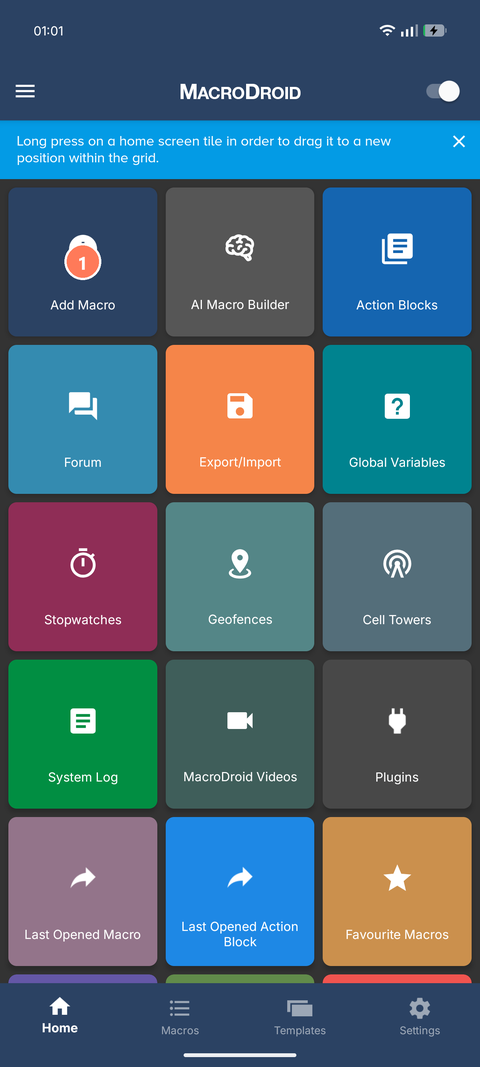
Get MacroDroid (free), open it, tap Add Macro.
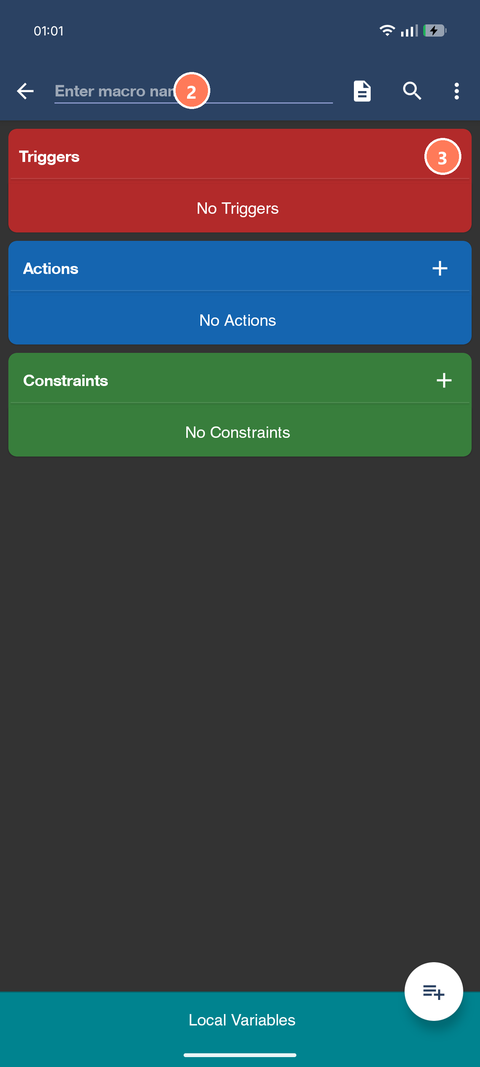
Name it Ottipod.
Tap + beside Triggers.
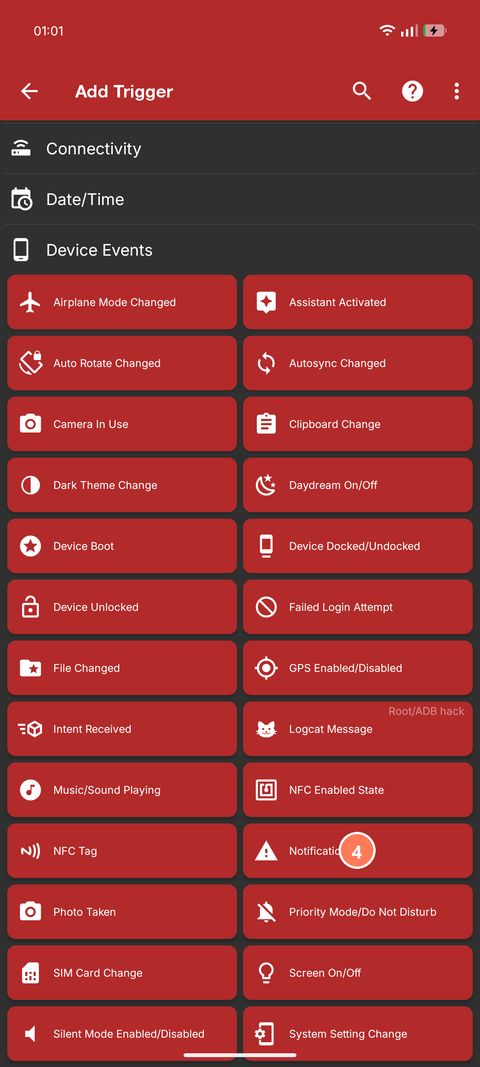
Pick Notification.
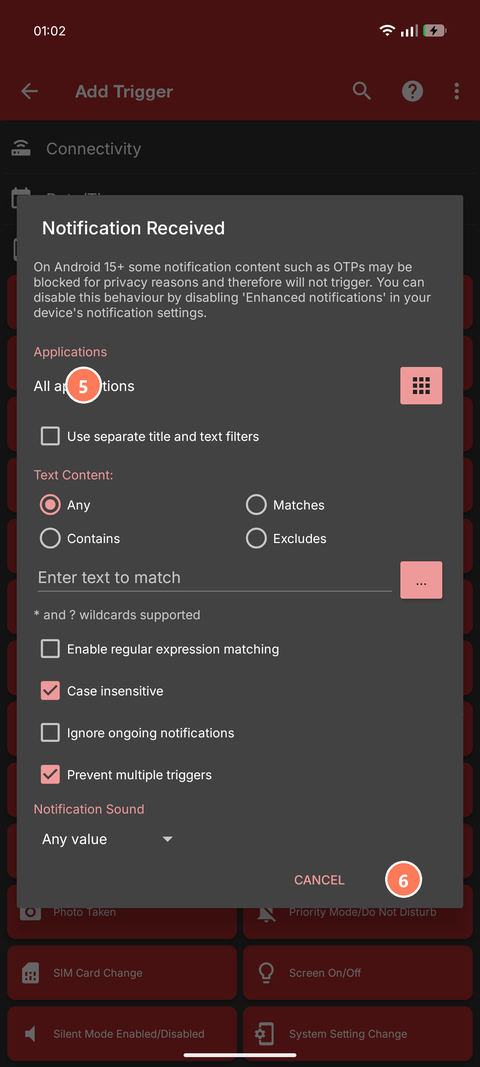
Leave All applications and everything else as it is.
Tap OK. If the phone asks for notification access, allow it.
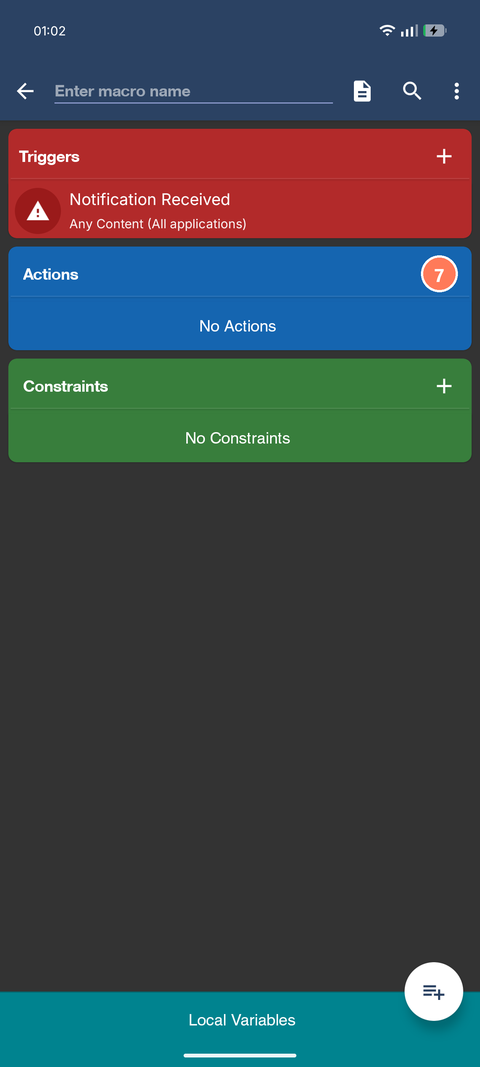
Tap + beside Actions.
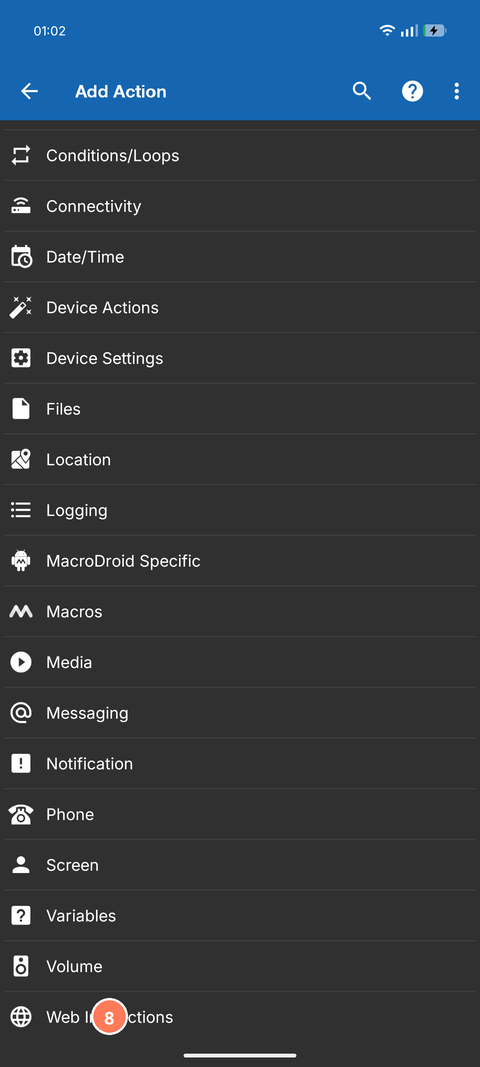
Scroll to the end: Web Interactions.
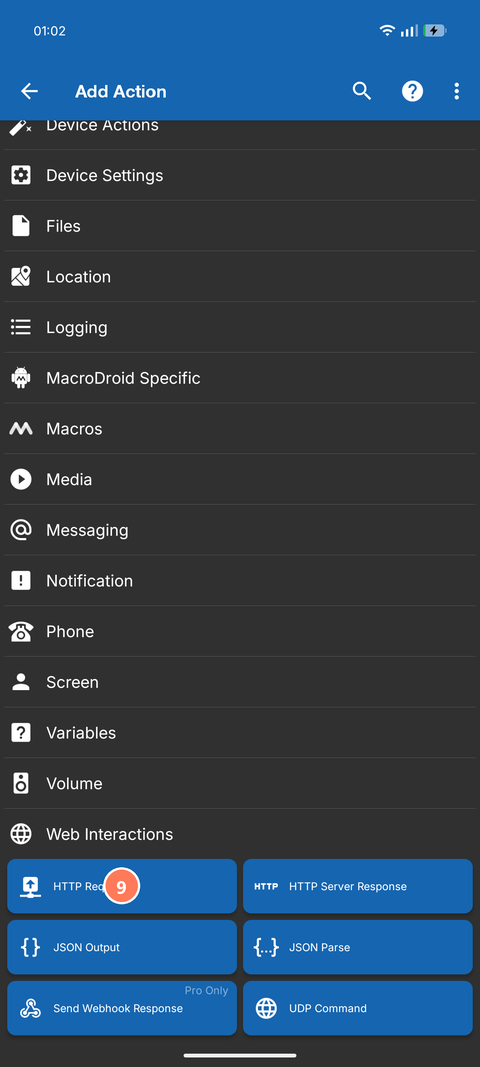
Pick HTTP Request.
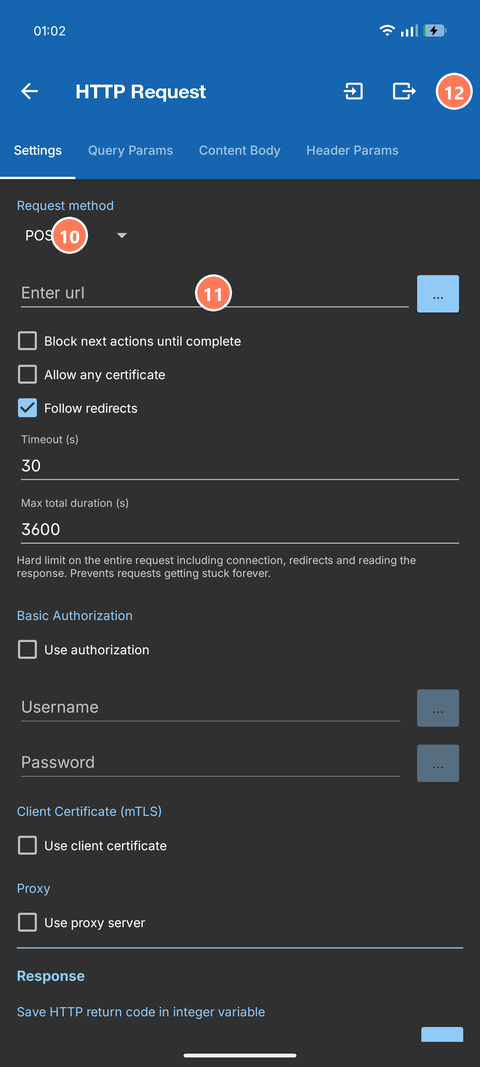
Request method: POST.
Paste your link into Enter url. The parts in [brackets] fill themselves with the app and the text of each notification.
Tap the tick at the top right.
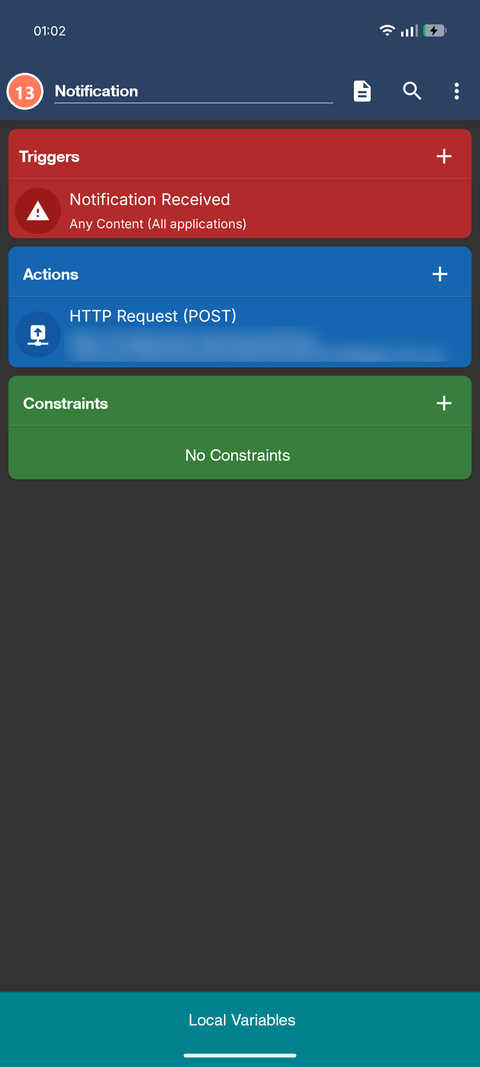
Tap the back arrow. The macro saves.
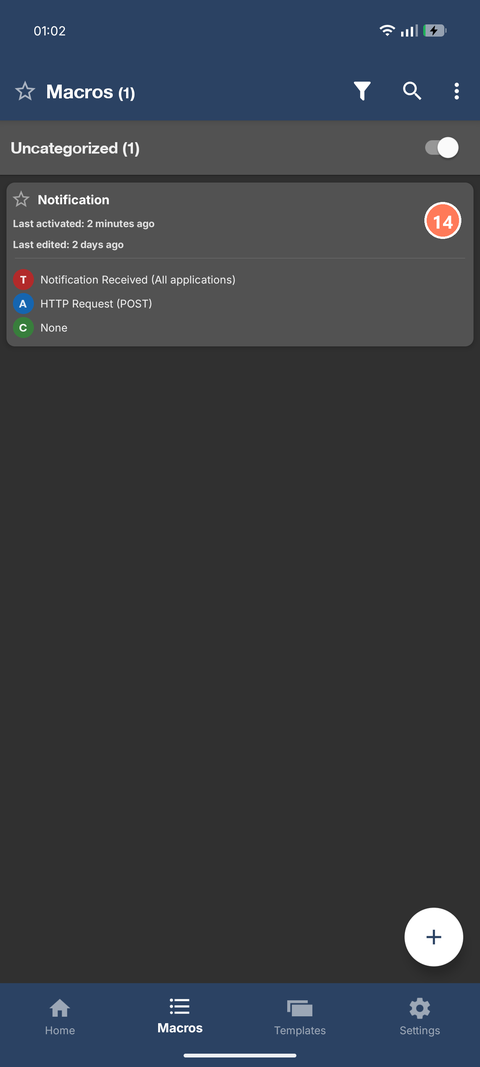
The switch beside Ottipod stays on.
MacroDroid’s free tier allows five macros; this uses one. Battery: the macro only wakes when a notification arrives.